
Currituck Case Search Smart Search
The North Carolina eCourts Portal is the statewide public search layer for Currituck court information. Smart Search is the entry point. It leads to the public Case Summary for a Currituck case, also called the Register of Actions. Anyone may search anonymously. An account is optional. My Cases saves matters for registered users, but registration does not open restricted Currituck records.
Currituck joined eCourts in February 2024. Smart Search covers Currituck case information, public documents where available, and chronological Case Events. It is not the official court record. The Currituck Clerk of Superior Court keeps the official files for Currituck Superior and District Court matters, including any record that needs a certified copy. The official eCourts Portal for Currituck presents the public search and case-information service.
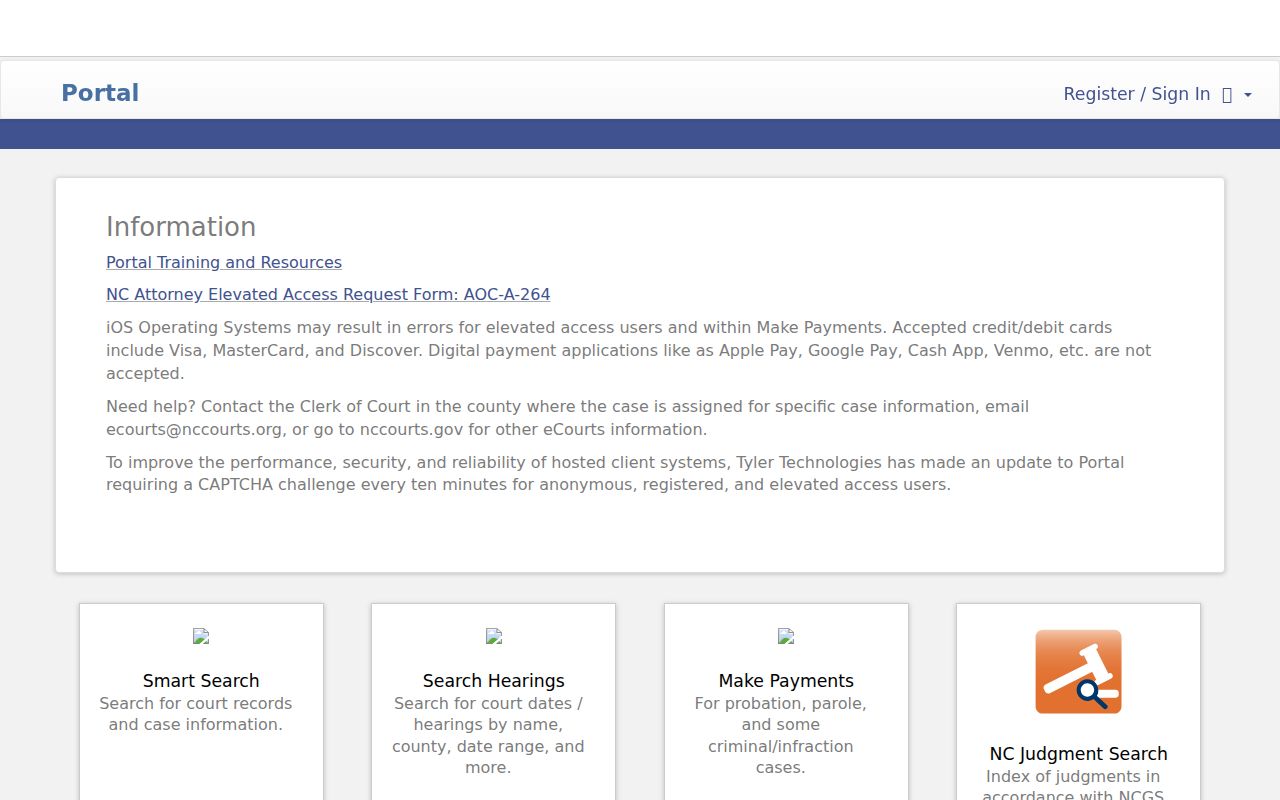
Smart Search starts a Currituck case search, Search Hearings answers a current Currituck court-date question, and the Currituck Clerk supplies the official-record fallback. Each tool has its own lane.
Searching Cases by Name
Without a Currituck case number, pick the party-name value in Smart Search and type the name you know best. The public Currituck service also searches business names, nicknames, record numbers, citation numbers, attorney or bar numbers, and cross-references. Name results take care. A hit can share a similar name, sit in a different county, or involve a different role in the case. Check the displayed Currituck case information first. Open the Case Summary only then.
Enter a search value before touching advanced filters. The documented category filters for Currituck are Civil Actions, nonconfidential Special Proceedings, Estates, and Criminal Actions. General Options can narrow a Currituck query by location. Other published criteria include party information, case type, case status, and a filing-date range. Save the narrower search for when you truly know the identifying detail. Broad first, narrow later works well.
- Open the eCourts Portal for Currituck and select Smart Search while using public, anonymous access if no saved-case feature is needed.
- Enter a party name for a Currituck case as the search value, using the name as it appears on a Currituck notice or prior case material when possible.
- Add an appropriate advanced filter for a Currituck search only after entering that value. The Currituck location, case category, status, and filing-date filters can narrow a broad result.
- Open the matching Currituck Case Summary and compare its party, assignment, and case information before relying on the public Currituck Case Events or hearings.
These published fields apply to Currituck cases. Pick Currituck in the location filter to narrow results to the county.
| Field label | Type | Required | Official notes |
|---|---|---|---|
| Smart Search value: Case Number or Party Name | Text | One search value | For a Currituck case, also supports a record, citation, attorney/bar, business, cross-reference, or nickname search. |
| Advanced Filtering Options | Expandable filter | No | Cannot stand alone; Currituck public categories include Civil Actions, nonconfidential Special Proceedings, Estates, and Criminal Actions. |
| General Options / Location | Filter | No | Published as the Currituck location filter; use it only after a search value. |
| Case Search Criteria | Filter | No | Published Currituck criteria include case type, case status, and filing-date range. |
Currituck Case Search Wildcards
Wildcards widen a name search for a Currituck case without turning it into a fishing expedition. Official Portal training guidance allows a last name of at least three characters followed by *. A first name needs one character plus the wildcard. A case-number search needs at least four characters before it. Business-name and nickname searches need four characters too. Select the right advanced search type.
Advanced filters cannot run alone in a Currituck search. Enter a search value first. The Party Name selector inside Advanced Options has its own limit: it narrows returns and does not accept a wildcard. That distinction matters when a broad last name returns nothing. Go back to the main Smart Search value for Currituck. Do not assume the case is absent. Check spelling, spacing, and the Currituck search type before concluding that no public result exists.
Searching by Case Number
A full number is the sharpest Currituck case-search value. Enterprise Justice builds each Currituck case number from four parts: a two-digit year, a letter case type, a six-digit sequence, and a three-digit Currituck county identifier. The pattern looks like YYLL000000-CCC. That pattern shows the parts, not a real Currituck case number. Copy the number exactly. Take it from the Currituck citation, notice, prior order, calendar, or other case material rather than guessing the county suffix.
The Portal offers other search values for Currituck: record number, citation number, attorney or bar number, business name, cross-reference number, and nickname. Those identifiers help locate a public Currituck record. None of them can rebuild a missing case number. Once the right Currituck Case Summary opens, work from its Hearings and Case Events. The search result alone is not the complete court record.
Currituck Case Search File & Serve
File & Serve is an official electronic filing interface, not a public case-search screen. Its job is submitting documents in Currituck eCourts matters. File & Serve is for filers. Need a public Case Summary, hearing date, or Register of Actions for Currituck? Use Portal Smart Search or Search Hearings instead. Mixing up the two Tyler interfaces sends a searcher down the wrong workflow.
Filing access and public viewing are separate functions. That split trips people up. File & Serve offers no side door around a confidential, sealed, expunged, juvenile, or otherwise restricted Currituck record. The Clerk stays the local source for questions about official filings, copies, and the public file. The official File & Serve landing page identifies the electronic filing service.
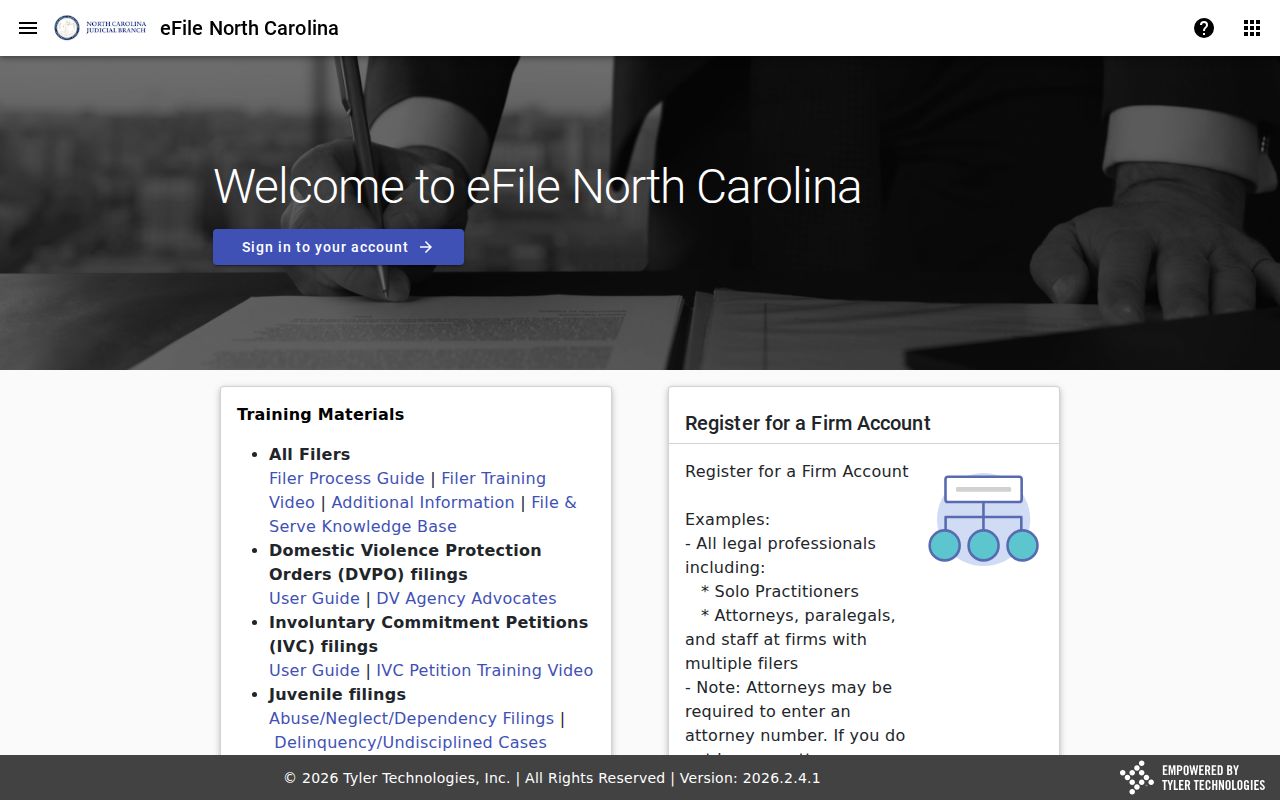
That screen is for filing, not for case searches.
Currituck Case Search Case Events
Case Events form the timeline inside a public Currituck Case Summary. Each entry can record a filing, an order, a disposition, or calendar activity. The Portal lays the summary out in a fixed order: Case Information, Assignment Information, Party Information, causes of action where they apply, Case Events, Dispositions, Hearings, and Financial Information where it applies. Labels shift with case type. A civil file shows causes of action, while a criminal matter leans on charge and disposition details instead.
Fresh entries can appear within minutes of upload to Odyssey, though daily volume and processing may delay them. That speed helps with a new Currituck filing. The Portal is still not the official certified record. One quirk deserves care. A pre-eCourts event stamped 12:00 AM may be an artifact of system conversion rather than a real midnight event. Compare its text with the current hearing record. Call the Clerk when the timing matters.
What a Case Search Returns
A Currituck search result opens the Case Summary. It is not a promise that every document or field will be public, since the case type and its access rules set the limits. Public document images may appear. Confidential, sealed, and other restricted materials stay excluded. Read each label as displayed, and bring certification questions to the Clerk.
| Case Information | The public case number, type, and other identifying case data shown for the record. |
|---|---|
| Assignment Information | Public court or assignment information when displayed. |
| Parties | Public party information and roles associated with the case. |
| Causes of Action | Claim categories for civil, family, probate, or mental-health matters where applicable and public. |
| Case Events and Dispositions | The dated case history and a recorded outcome or status where one appears. |
| Hearings and Financial Information | Current hearing information and financial information when applicable and public; verify current amounts with the Clerk. |
Currituck Case Search Judgment Index
The Portal also runs a judgments tool. NC Judgment Search indexes docketed judgments. Search it by party name or case number. Filters narrow results by case type, status, location, and judgment date. A hit can report a case number, disposition status, index date and time, parties, and judgment comments. The index is not the full Currituck Case Summary.
When you find a judgment entry, hop back to Smart Search and open the Case Summary for the fuller public record. The two-step flow keeps each tool in its lane. Judgment Search locates the index entry. Smart Search supplies the public Register of Actions with its Case Events.
Currituck Case Search Registration
Registration is optional for a public Currituck case search. It mainly adds My Cases. That saved-case perk does not widen public access, even when a record proves hard to find. Elevated access is a separate track for attorneys and others with verified statutory authority and an approved business need.
The courthouse KIOSK offers most Portal functions. It can even open some case types to anonymous users that the online Portal withholds. The Portal FAQ lists protective-order cases as one example. That does not mean every protected case is viewable at the terminal. Public access limits still apply. The Clerk can point you to the right public route.
Statewide vs County Case Search
Currituck has no separate county docket site. North Carolina's eCourts Portal is the online public layer. On the ground, the Currituck Clerk keeps the official records and the public terminal as a fallback. The comparison pairs a statewide search service with the local record office, not two duplicate databases.
| eCourts Portal statewide layer | Currituck Clerk and public terminal |
|---|---|
| Searches public case information through Smart Search and related Portal tools. | Provides the local public-access terminal and Clerk-held case-file fallback. |
| Useful for a public case number, name, Case Summary, Case Events, or current hearing search. | Useful when Portal does not resolve the question, an older record needs checking, or an official copy is required. |
| Public information may be searched anonymously; an account can save cases. | Restricted records remain restricted, and the Clerk is the custodian for certified copies. |
| Not the official court record. | Official county case-file source for the records it holds. |
Currituck Case Search Browser Fallback
A failed Currituck query often has a simple fix. First check spelling, identifier format, and search type. The Portal FAQ then suggests clearing the browser cache, trying another browser, or using a private or incognito window. State guidance calls Chrome and Edge best supported. These steps fix a stale session or browser issue without changing the access rules for the case.
If the Portal still returns nothing, call the Clerk of Superior Court at (252) 232‑6200. The public terminal at 2801 Caratoke Highway works too. Bring the case number, party names and roles, or document details if known. That terminal searches criminal cases by defendant name, case number, victim name, or witness name. It also covers civil, special-proceeding, and estate information.
One caution applies. An NCAOC administrative public-records request is not a route to Currituck case documents, because NCAOC is not their custodian.
Access and Restricted Cases
Public civil, criminal, estate, and nonconfidential special-proceeding records may be searchable, subject to each record's public status. Plenty stays off limits. A normal Currituck case search does not open juvenile cases, adoptions, involuntary-commitment matters, incompetency hearings, sealed records, expunged records, unreturned warrants, or restricted documents. The county's court FAQ notes several of these limits.
Registration cannot lift these limits. One rule does heavy lifting. G.S. 7B-3000 keeps juvenile records from public inspection except as the statute or a court permits. An expunged Currituck record drops from the public Portal after processing. So a name search can come back empty. That can mean a restricted record, a mismatched term, or no public case at all rather than a system error.
Currituck Case Search Clerk Records
Need an official copy of a Currituck County court record? Go straight to the Clerk of Superior Court. That office, not the Portal, issues certified copies. You will find it at 2801 Caratoke Highway, Currituck, NC 27929, open on weekdays from 8:30 a.m. to 5:00 p.m. The staff answers at (252) 232‑6200. When you call or visit for a case search, have the case number ready, along with the parties and their roles, the document you want, and whether it needs certification.
North Carolina law opens Clerk-maintained court records to public inspection unless some other law closes them. Confidentiality rules, sealing, and expunction can still limit what you see. The Judicial Branch court-records guidance walks through both routes, the terminal and the Clerk file. It covers public access to court information.